Alterations management
Keep every fitting connected to the dress.
Keep measurements, alteration charges, and seamstress details on record. Schedule fittings on the same calendar, with the order and balance close at hand.
30-day free trial · No credit card required · Compare plans
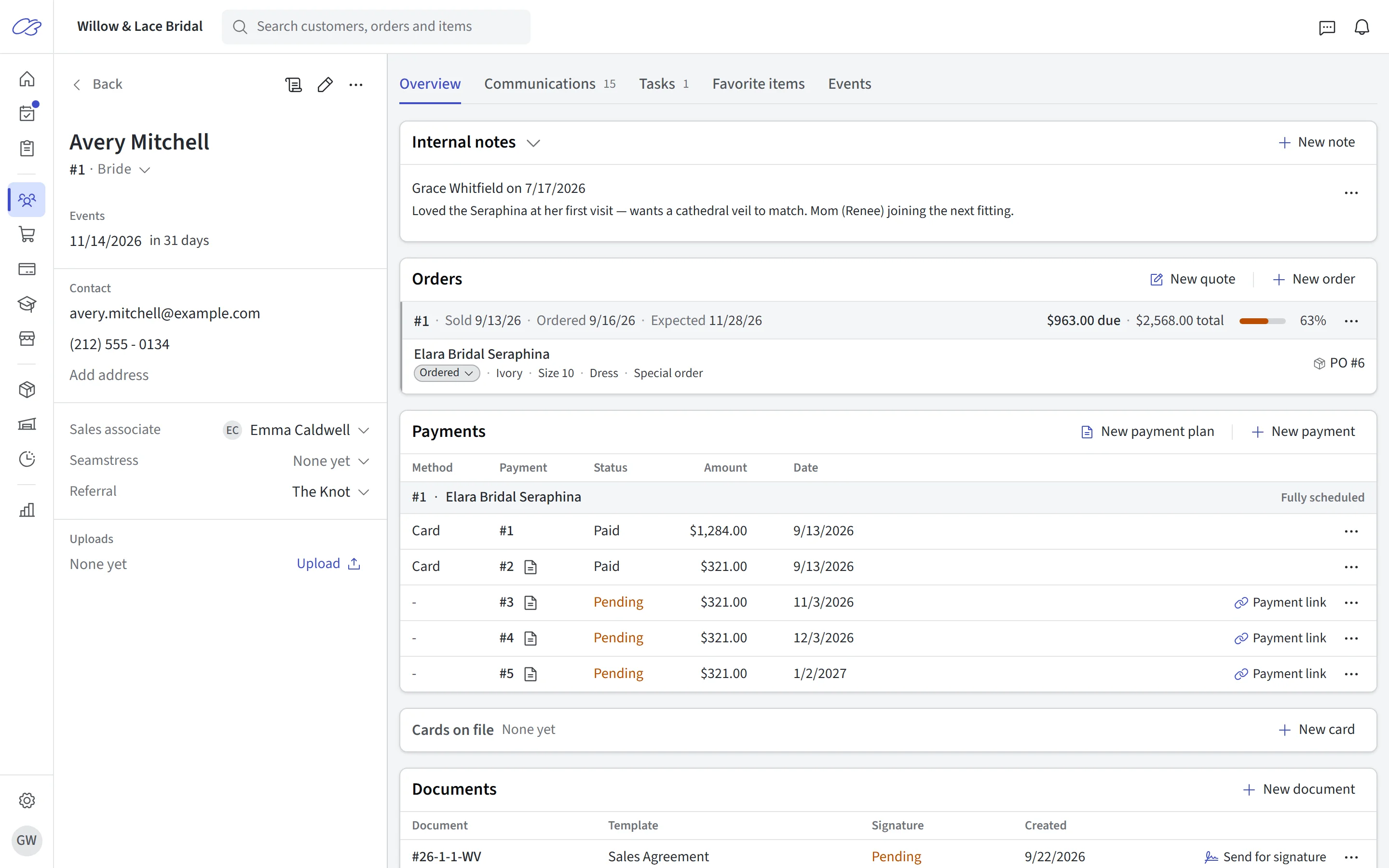
Quoted on the order
Add alteration charges to the gown order
Alterations quoted at the fitting go straight onto the bride’s order — with their own price, notes, and tax treatment, separate from the gown itself. Additional work and fees get their own lines too, so the order total always reflects what was actually agreed.
Because alterations live on the order, they’re collected with the balance, and shops in states that don’t tax alteration services can exempt them with one setting. Want the bride to pay for alterations on their own? Put them on a separate alterations order, with its own payments, receipt, and status.
- Alteration price, notes, and tax tracked as first-class fields on the order
- Separate buckets for additional work and additional fees
- Optional tax exemption for alteration charges, where your state allows it
- Same ticket as the gown, or a separate alterations order — your call
Your price list
From one flat fee to a fully itemized menu
Shops price alterations differently, so CloudBridal gives you three ways to track them. Charge a single flat or variable fee with the built-in alteration field. Build a pre-defined add-on menu — hem, take-in, bustle — that staff pick from so quoting stays consistent. Or go fully itemized: alteration services as line items with variants for every option and price point.
The itemized route is where complex pricing shines: a bustle isn’t one price, it’s a French bustle at one price and an over-bustle at another — variants capture exactly that, and every line can carry its own seamstress and notes.
- Built-in alteration price field for flat or single variable fees
- Pre-defined add-on menus with per-group tax and discount settings
- Fully itemized service items with variants for every style and price
- Custom one-off services typed in on the fly when a gown needs it
- Consistent pricing across staff — the menu is the price list
Measurements
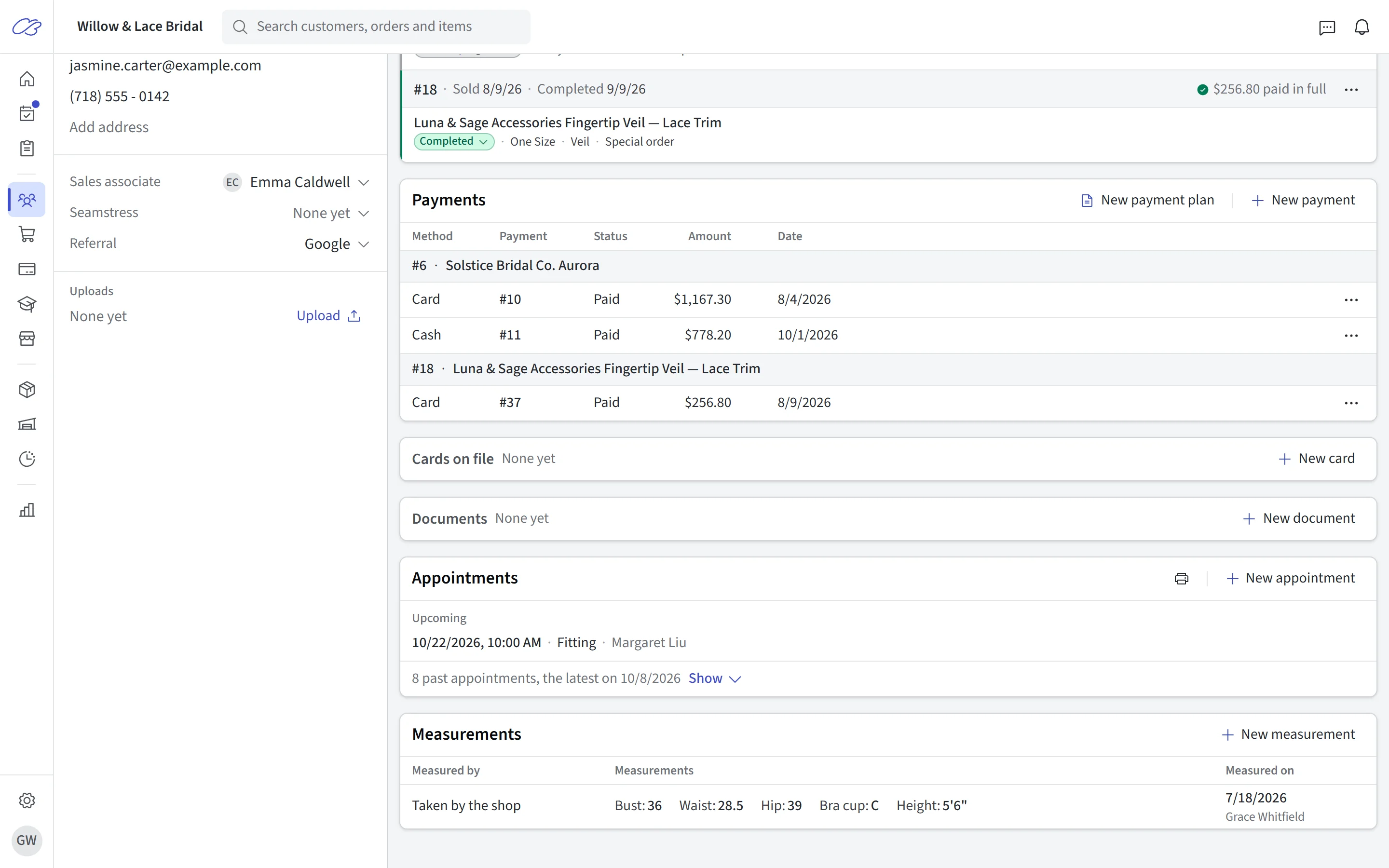
Keep measurements on the customer record
Bust, waist, hip, height, and cup live on the customer profile — plus any custom measurement fields your shop defines. When an order is written, measurements copy over from the record with one click and can be adjusted per gown, with a size-chart view for picking the ordering size.
CloudBridal also records whether measurements were taken by your shop or provided by the customer — useful if a sizing question comes up later.
- Standard and custom measurement fields, defined in your settings
- Customer-level records plus per-order measurements with one-click copy
- Size chart visualization for choosing the ordered size
- Taken-by-shop vs. provided-by-customer recorded on every measurement set
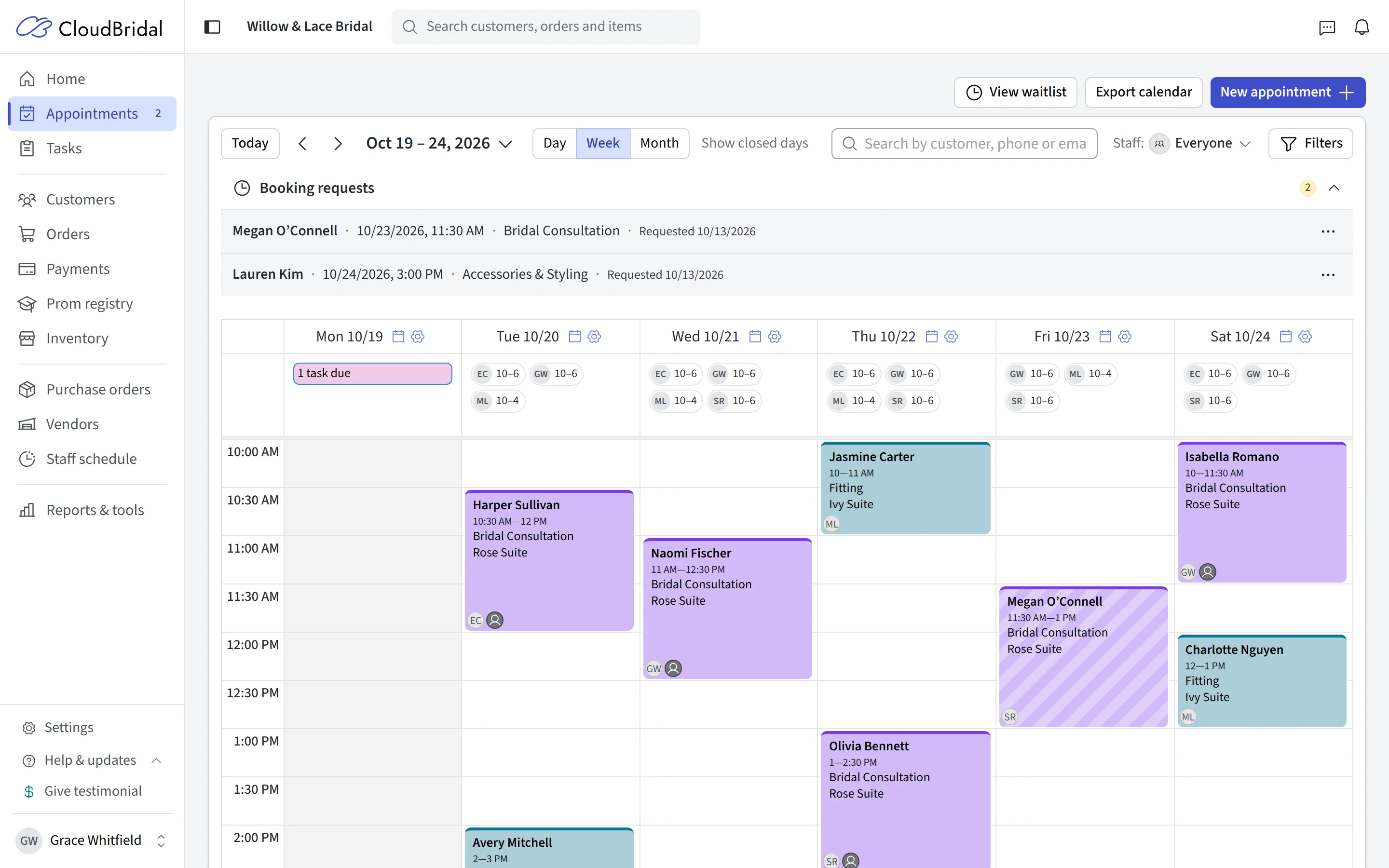
Fittings
Fittings on the same calendar as everything else
Fittings are appointments — so they get the same online booking, staff assignment, and automatic email and SMS reminders as every bridal appointment in your calendar. No separate fitting tracker to keep in sync.
The Fittings Planning report ties it together: every customer with an active order, their event date, and their next upcoming appointment — so you can spot the bride whose wedding is in eight weeks and who has nothing on the calendar.
- Fittings scheduled as appointments with automatic reminders
- Fittings Planning report: active orders, event dates, and next appointments side by side
- Room and stylist assignment, just like bridal appointments
And the rest
Who is sewing it, what it costs, and what it earns
Seamstress assignments, tax settings, and reporting by service.
Seamstress on record
Three ways to track
Tax handled your way
Reporting by service
Collected with the balance
Separate order when needed
Good to know
Frequently asked questions
Common questions about alterations management in CloudBridal.
How does CloudBridal track alterations?
Can I track which seamstress does the work?
Can I price different versions of the same alteration?
How are fittings scheduled?
Can I store bride measurements?
How do brides pay for alterations?
What about sales tax on alterations?
Is alterations tracking an extra add-on?
Keep exploring
Related features & resources
See how this connects to the rest of CloudBridal.
Appointment scheduling
Fittings ride on the same booking, calendar, and reminder system as every bridal appointment.
Payment processing
Alterations are collected with the balance — payment plans, links, and card readers included.
All features
Alterations are one piece — see the whole boutique workflow CloudBridal covers.
Ready to retire the alterations whiteboard?
Start your 30-day free trial — no credit card required — and put your alterations price list into the system today.