Reports & buying decisions
Plan your buying with sales and stock reports.
See which samples have been sitting longest, estimate markdowns, and prepare a buying budget using your shop’s sales and inventory.
30-day free trial · No credit card required · Compare plans
Make room on the floor
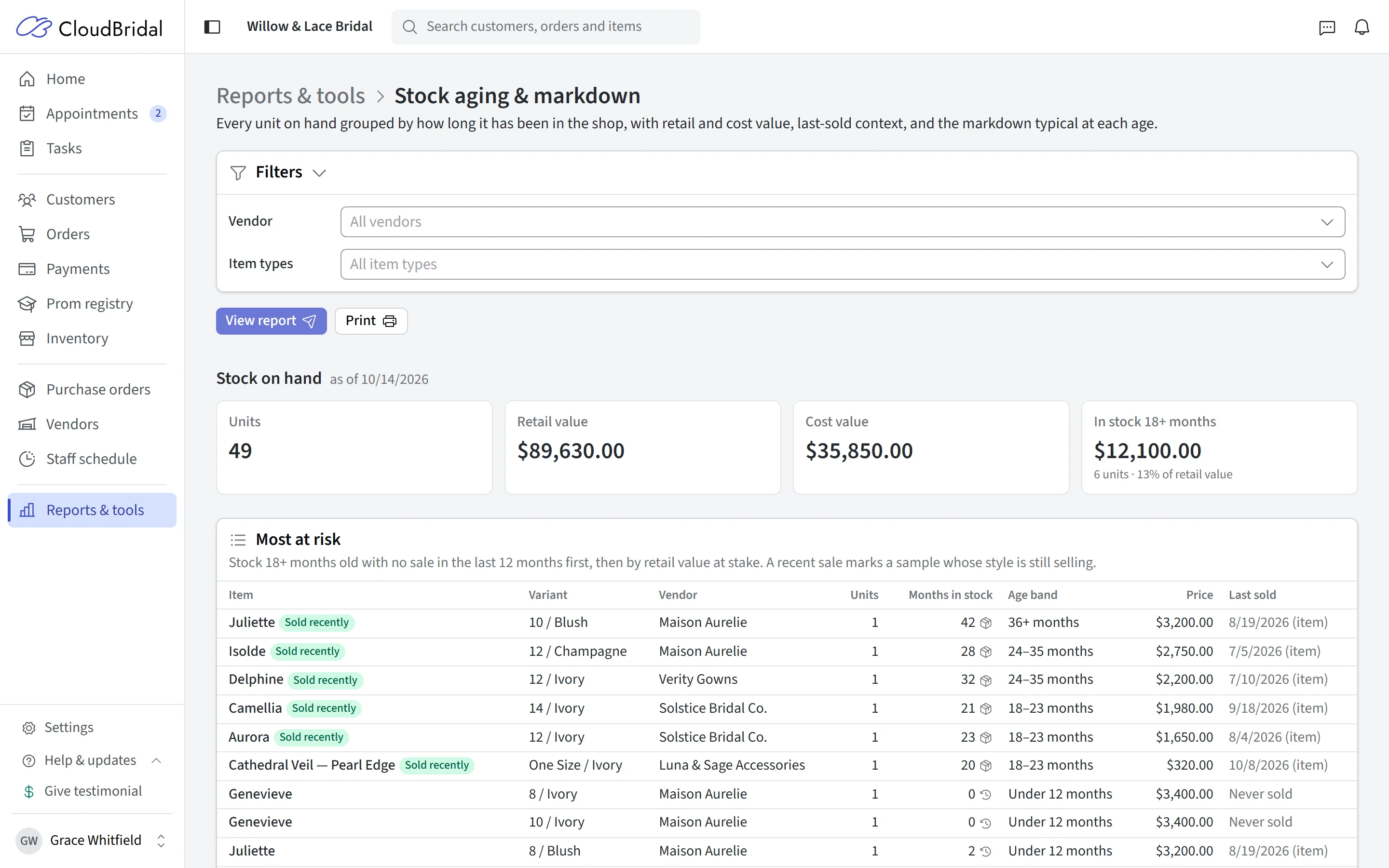
Which samples need a second look?
See how long gowns have been in stock, what they cost, and whether the style has sold recently. An older sample that still brings in special orders tells a different story from a gown that has stopped selling.
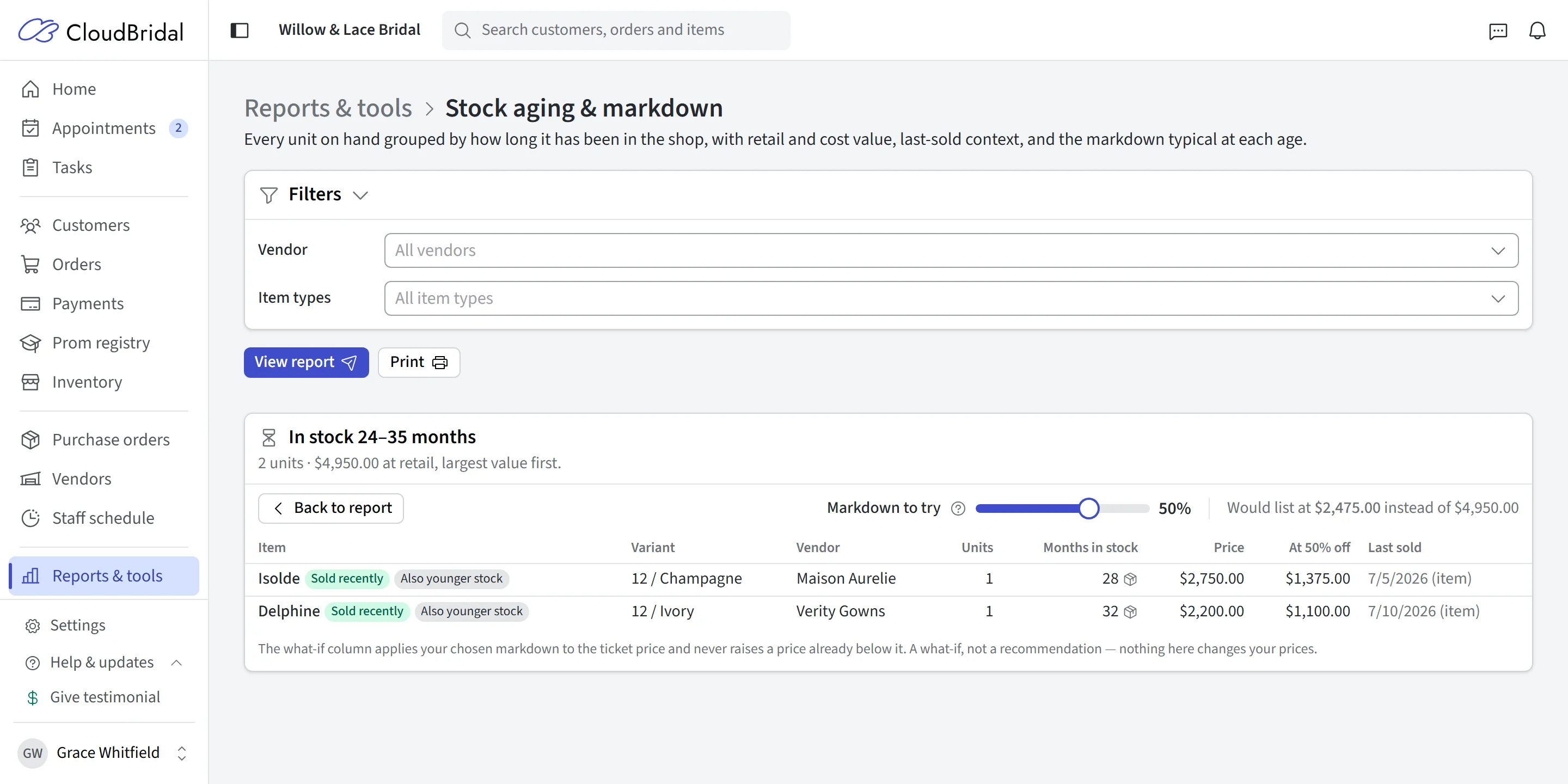
Open an age band to inspect the items and try a markdown. See the effect on their listed value before changing any prices.
- Age bands with stock quantities, cost, and retail value
- Recent-sale context beside the actual gowns
- A markdown preview that leaves your live prices unchanged
Stock Aging & Markdown is included on the Ultimate plan.
Prepare for market
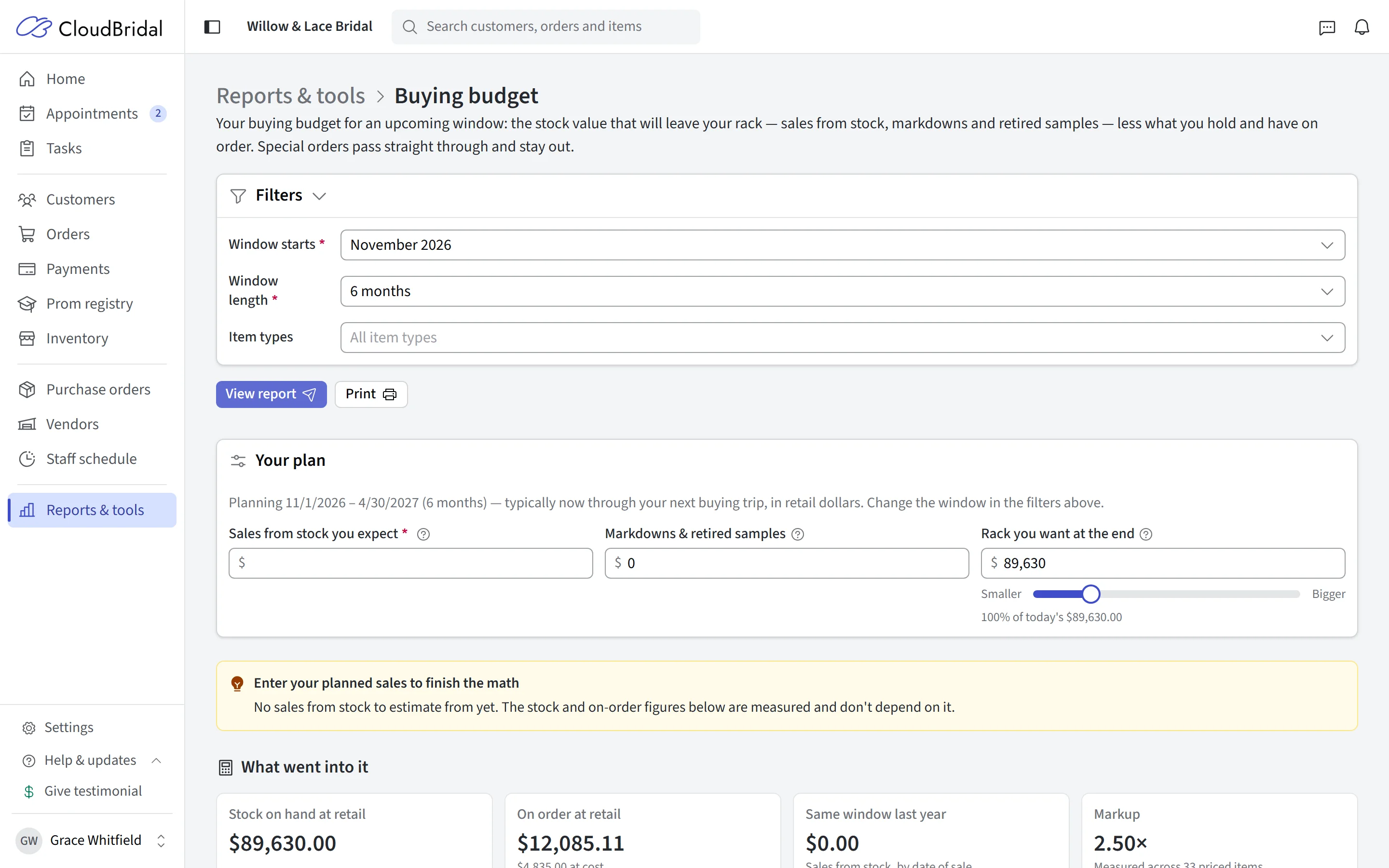
Go into your next buying trip with a plan
Start with your measured sales pace, stock on hand, and existing orders. Then explore what you expect to sell, how much stock you want left, and the discounts you plan to offer.
The buying budget report shows room to buy at retail and a budget at cost. Its assumptions stay visible so you can adjust the plan to your shop.
- Choose the planning window and item types
- Account for stock already ordered
- Explore different sales, stock, and discount assumptions
Buying Budget is included on the Ultimate plan. Planning figures are estimates based on your records and the assumptions you choose.
Understand the day-to-day
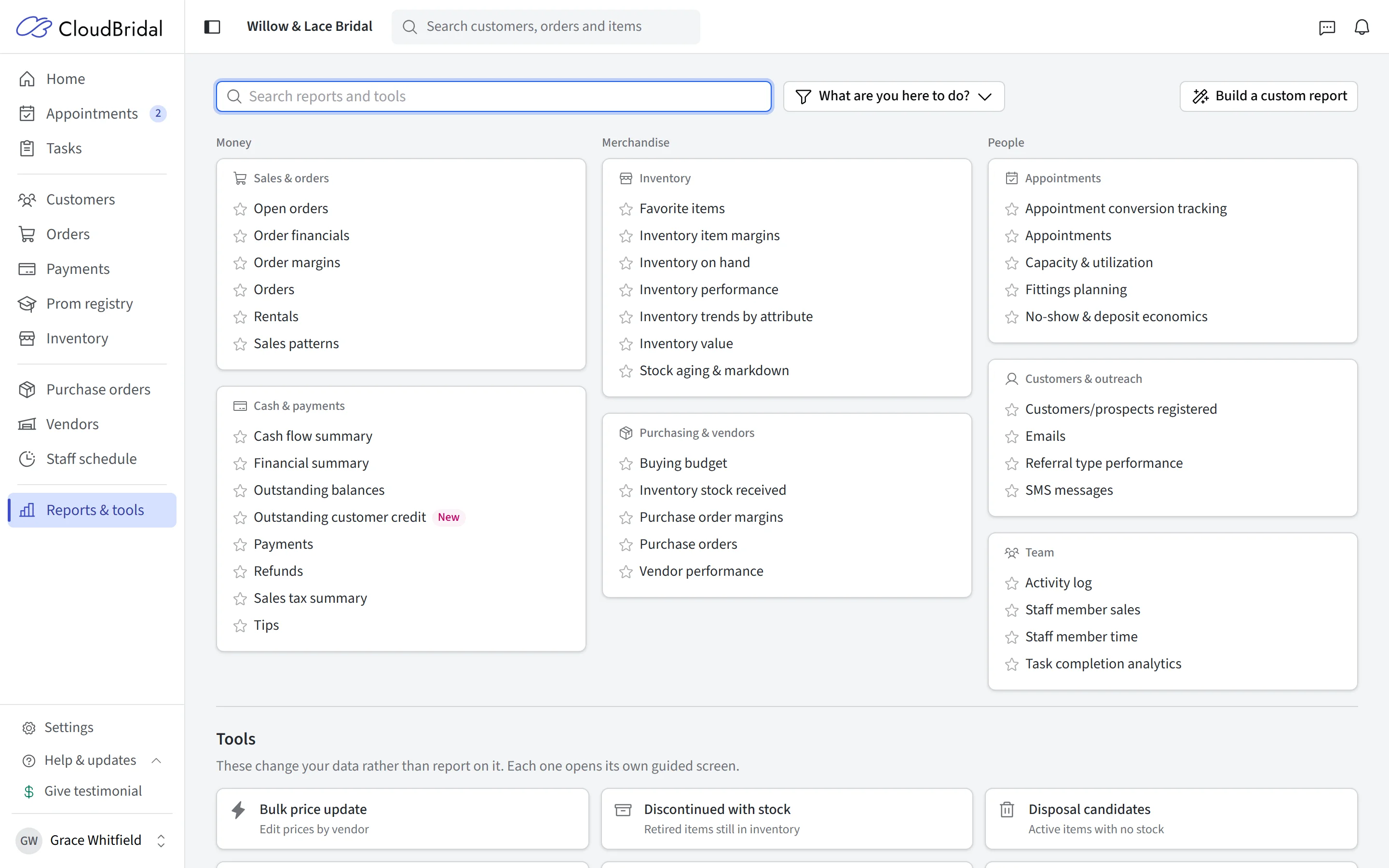
Track sales, balances, and appointment results
Review payments and outstanding balances, compare merchandise performance, or see how your calendar and team are doing. Reports are grouped by money, merchandise, and people so you can find the view you need.
A bride who visits three times before buying is still one customer. Customer conversion and appointment close rate are shown separately, giving you different measures for sales and capacity.
- Financial reports for payments, refunds, and balances
- Appointment conversion and capacity views
- Filter, arrange, and export reports for further analysis
From question to decision
Work with your shop’s actual records
Filter by date, open the orders behind a total, or export a report for your accountant.
Orders and payments
Adjust the view
Export reports
Good to know
Frequently asked questions
Common questions about reports and buying decisions.
Which plans include reports?
Does trying a markdown change my prices?
How is the buying budget calculated?
Can I export reports?
Why show both customer conversion and appointment close rate?
Keep exploring
Related features & resources
See how this connects to the rest of CloudBridal.
Inventory management
Keep samples, special orders, and incoming stock connected to the records behind your reports.
Appointment scheduling
See the bookings, rooms, and staff schedules behind your appointment performance.
Customer stories
Read how boutiques describe getting a clearer view of their daily work.
Run the reports on your own shop’s records.
Start your 30-day free trial — no credit card required — and see your sales, stock, and balances come together.