Appointment scheduling
Online booking that works around your rooms and staff.
Let brides book when it suits them. Keep rooms, stylists, visit types, and reminders together, so your team knows who is coming and how to prepare.
30-day free trial · No credit card required · Compare plans
Try a sample booking page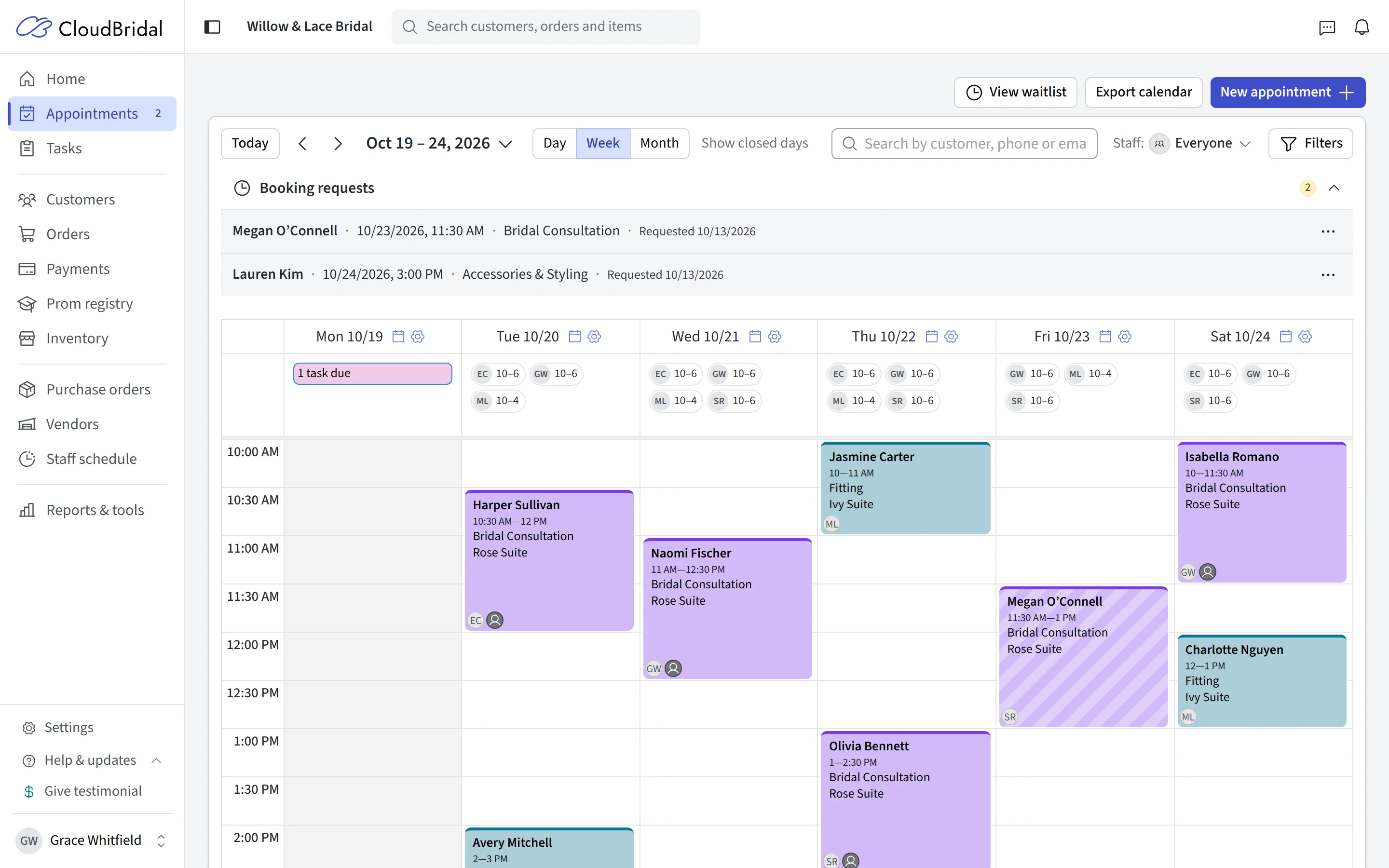
Online booking
Let brides book while you sleep
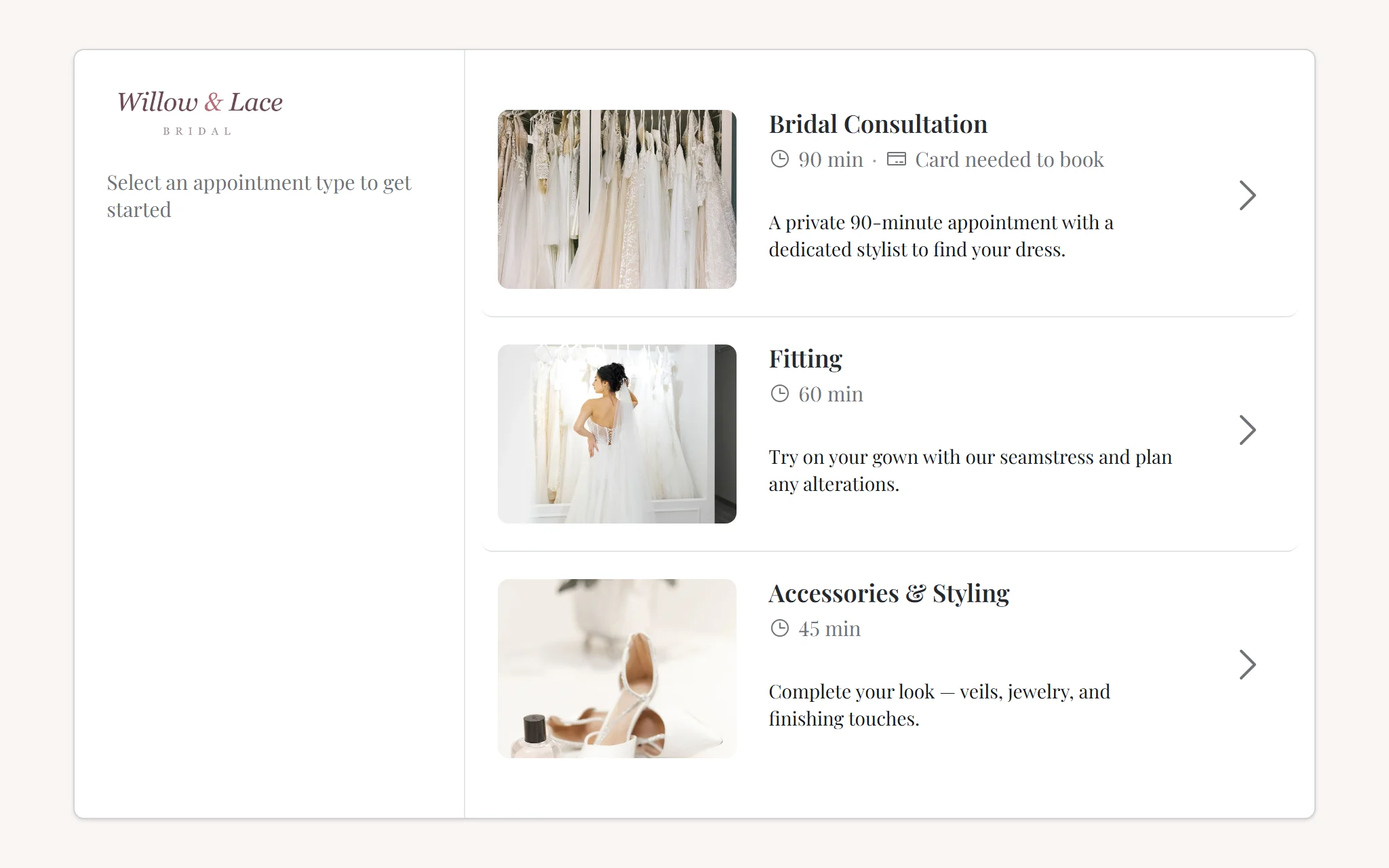
Brides can look for an appointment after your shop has closed. With CloudBridal, a booking link on your website or Instagram bio replaces the voicemail box. Brides pick an appointment type, see real availability, and choose a time that fits.
Availability is computed from your actual capacity — fitting rooms, staff schedules, and per-day overrides — so a fully booked Saturday stops offering times to brides.
- Booking page brandable to your boutique, linkable from anywhere
- Appointment types you define — bridal, bridesmaids, fittings, pickups
- Real-time availability based on rooms, staff, and schedule overrides
- Automatic email confirmations with reschedule and cancel links
No-show protection
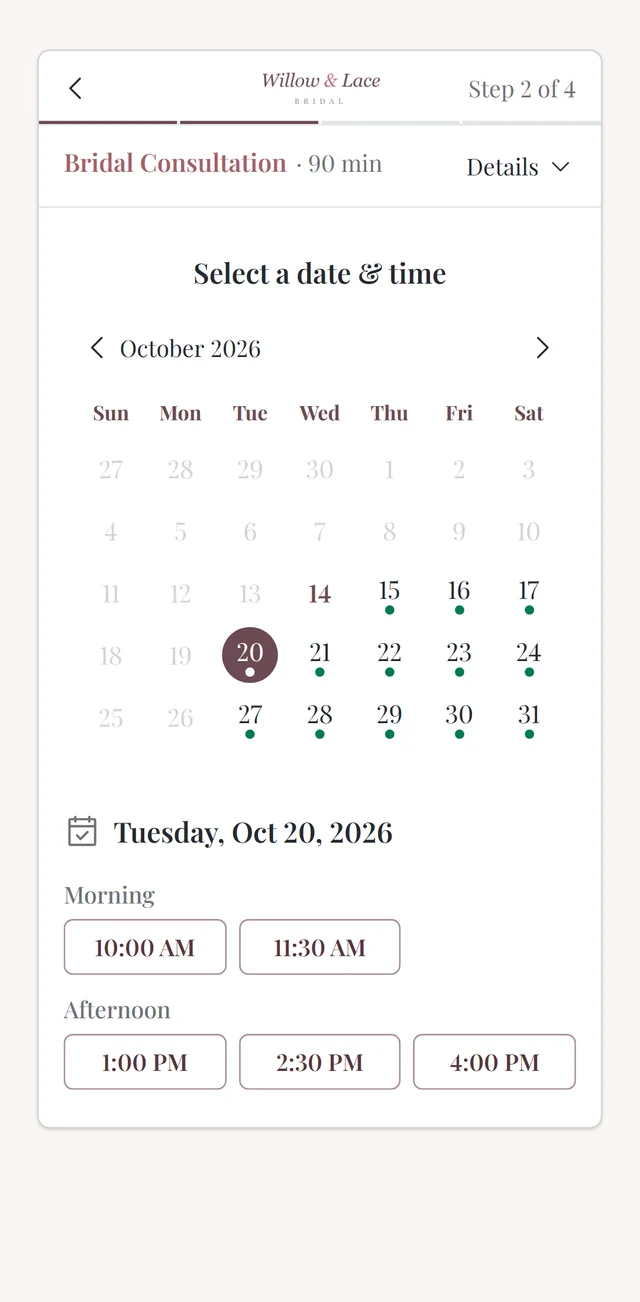
Collect a fee, deposit, or card when she books
An empty fitting room on a Saturday costs far more than any deposit. CloudBridal lets you require a booking fee or a card on file per appointment type — so a bride has put down a fee or a card before she takes a Saturday slot.
Booking payments are taken through Stripe and recorded automatically on the customer’s profile, so nobody has to enter them by hand.
- Require a deposit, a card on file, or nothing — per appointment type
- Booking fees collected securely through Stripe at the moment of booking
- Payments recorded automatically against the customer profile
Booking in the shop
See where an appointment fits before you book it
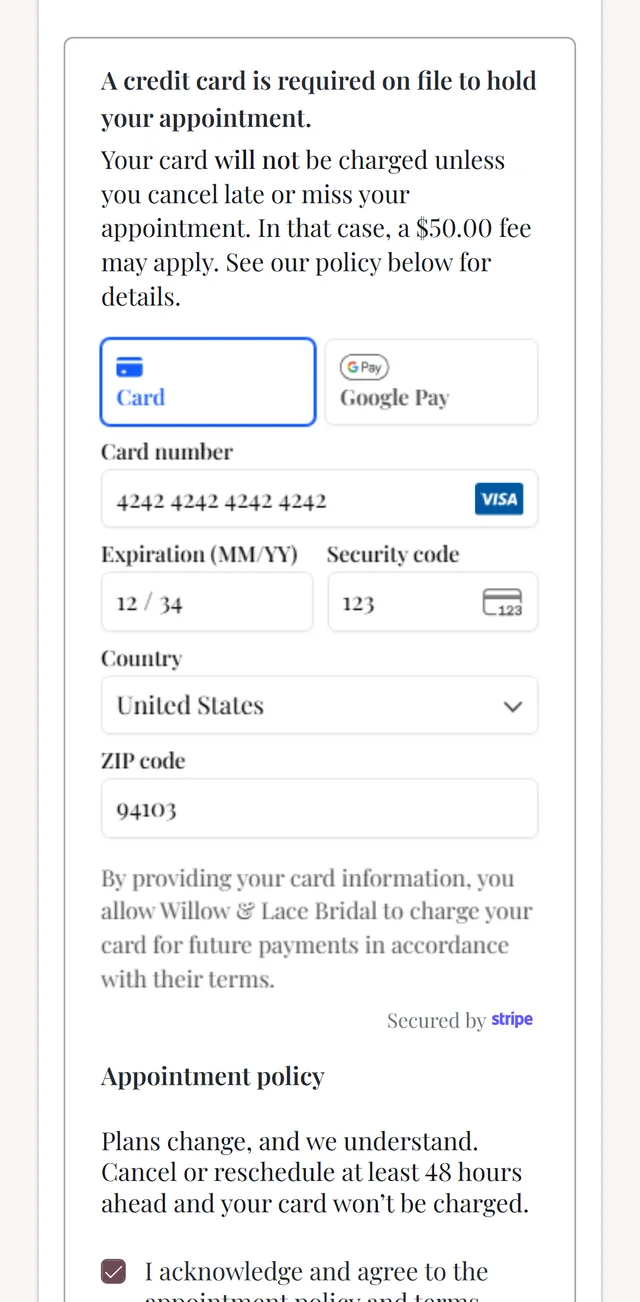
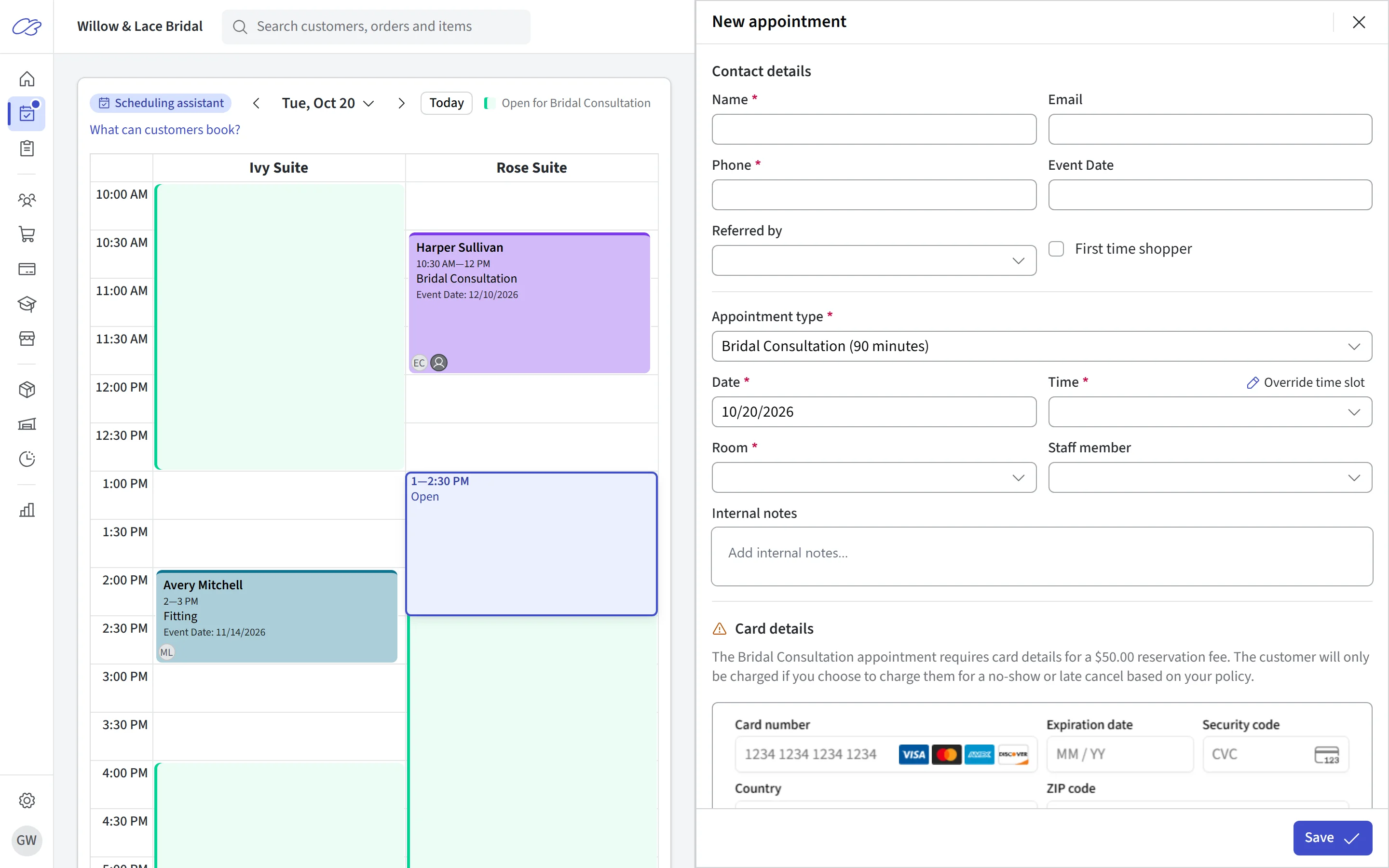
When a bride calls or stops by, there’s no hunting through the week for a gap. Choose the appointment type and the calendar highlights the times you can book it, in the rooms it uses, right beside the booking form.
Point at a time to see the appointment in place before you book it, or drag it to another time.
- Open times for the chosen appointment type, in the rooms it books into
- A preview of the appointment before you book it
- The same view when you book from a customer’s profile
- See which times brides can book online that day, and why others aren’t offered
Arrive prepared
Know your bride before she walks in
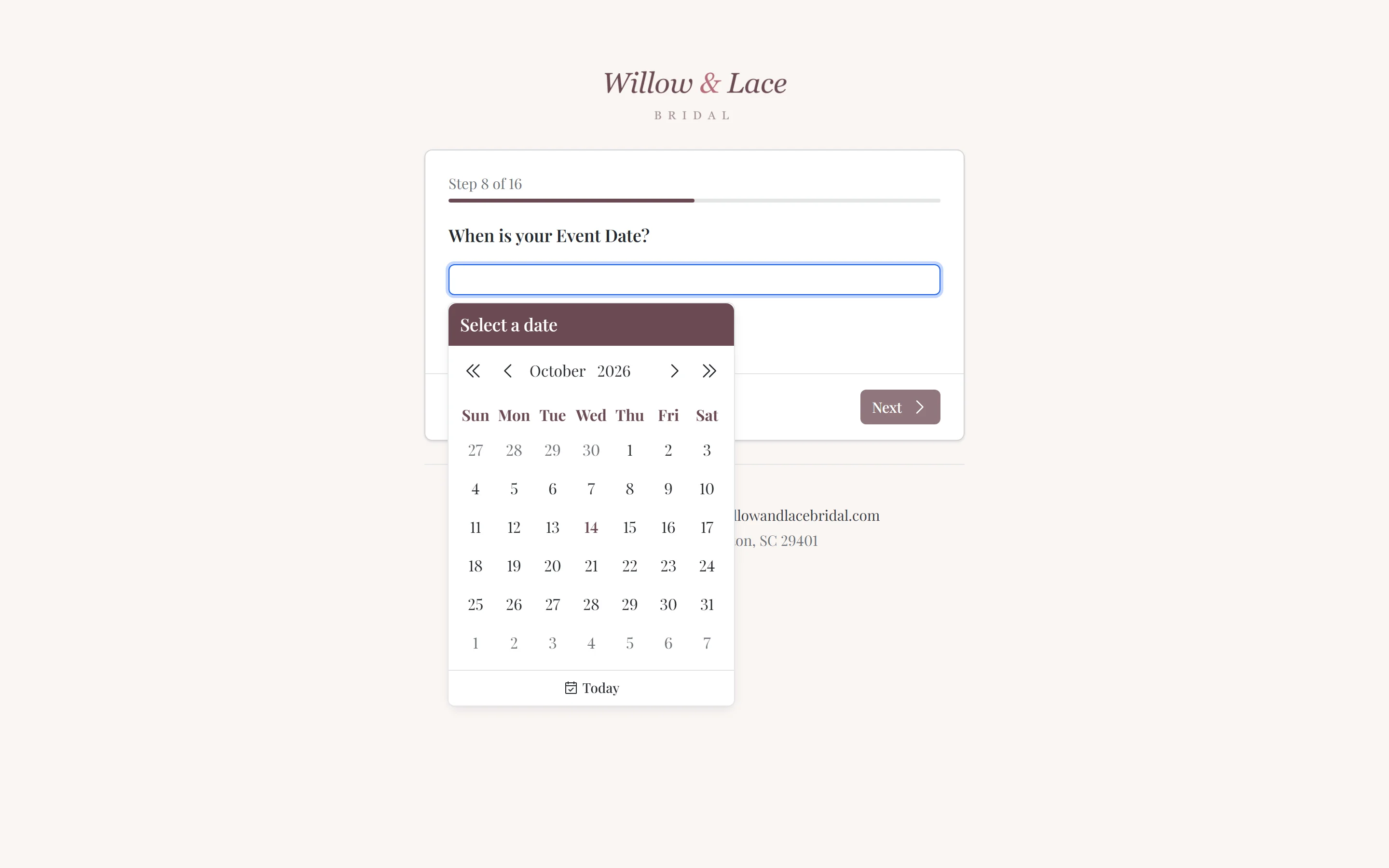
The best appointments start before the bride arrives. Customer registration collects the details you actually want — wedding date, budget, style preferences, party size — with questions you fully control. Answers land on the customer profile automatically, so your stylist walks into the room already knowing the story.
- Fully customizable registration questions
- Responses populate the customer profile — no re-typing
- Favorite items collected ahead of the visit, so you can pull gowns early
And the rest
Everything else the front desk needs
Reminders, self-service changes, outcomes, and paid appointments, alongside the calendar.
Automatic reminders
Staff & room aware
Self-service changes
A calendar built for the shop floor
Appointment outcomes
Paid appointments
Good to know
Frequently asked questions
Common questions about appointment scheduling in CloudBridal.
Can brides book appointments online themselves?
Can I require a deposit or card to book?
How do appointment reminders work?
How does CloudBridal know what times are available?
Is there a limit on appointments?
Does the scheduler work with my existing website?
What happens when a bride needs to reschedule?
Can I ask brides questions before their appointment?
Keep exploring
Related features & resources
See how this connects to the rest of CloudBridal.
Customer communications
Reminders, confirmations, and follow-ups that send themselves — the natural companion to online booking.
Payment processing
Booking fees, in-store card readers, payment links, and payment plans — all recorded in one place.
All features
Appointments are just the start — see everything CloudBridal replaces, from inventory to e-signatures.
Try online booking for your boutique.
Start your 30-day free trial — no credit card required — and explore the booking experience from both sides.