Inventory management
Know which gown is where, and who it is for.
Keep samples, special orders, sizes, and colors together. Follow a gown from the vendor to your floor or the customer waiting for it.
30-day free trial · No credit card required · Compare plans
Built for bridal
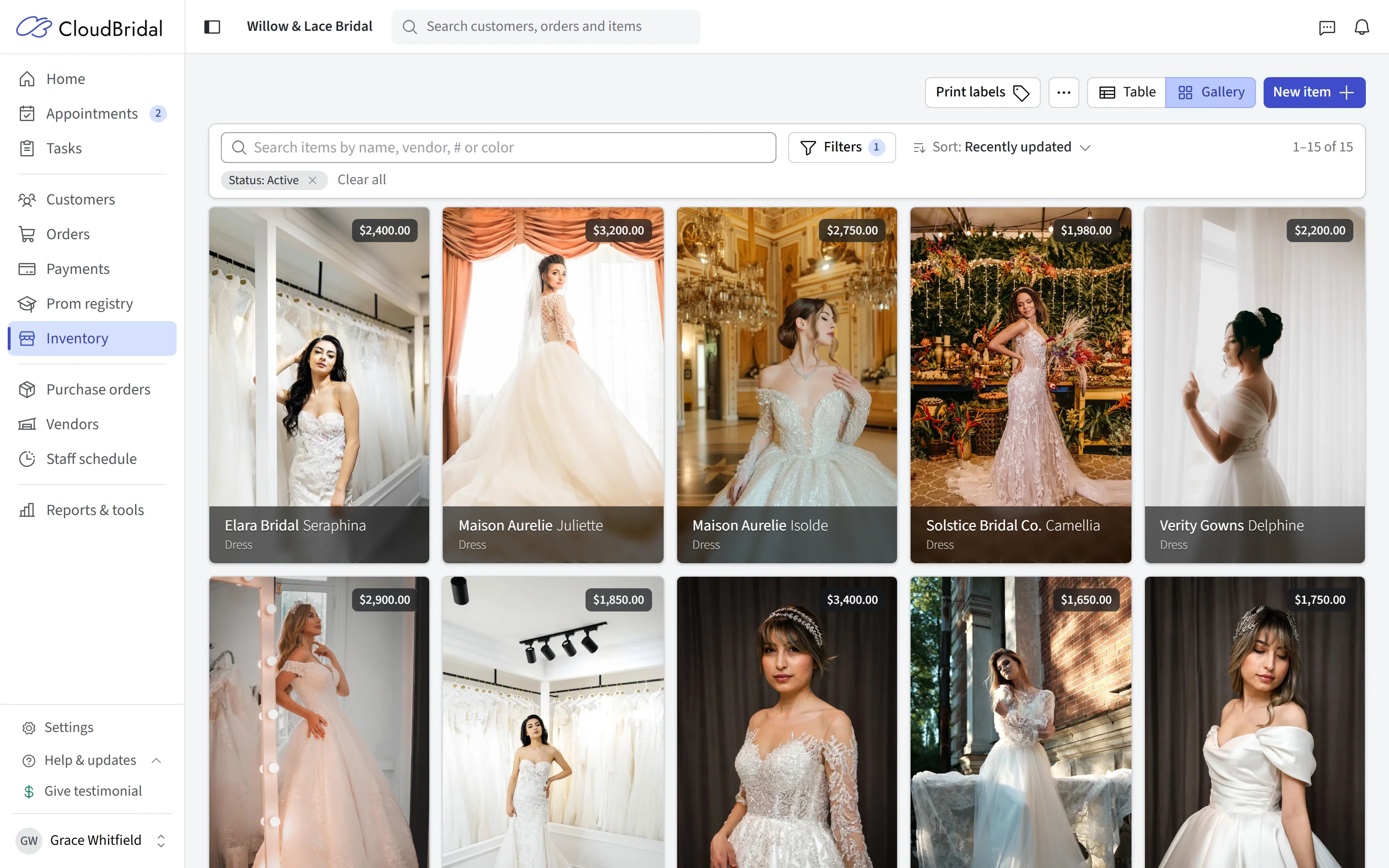
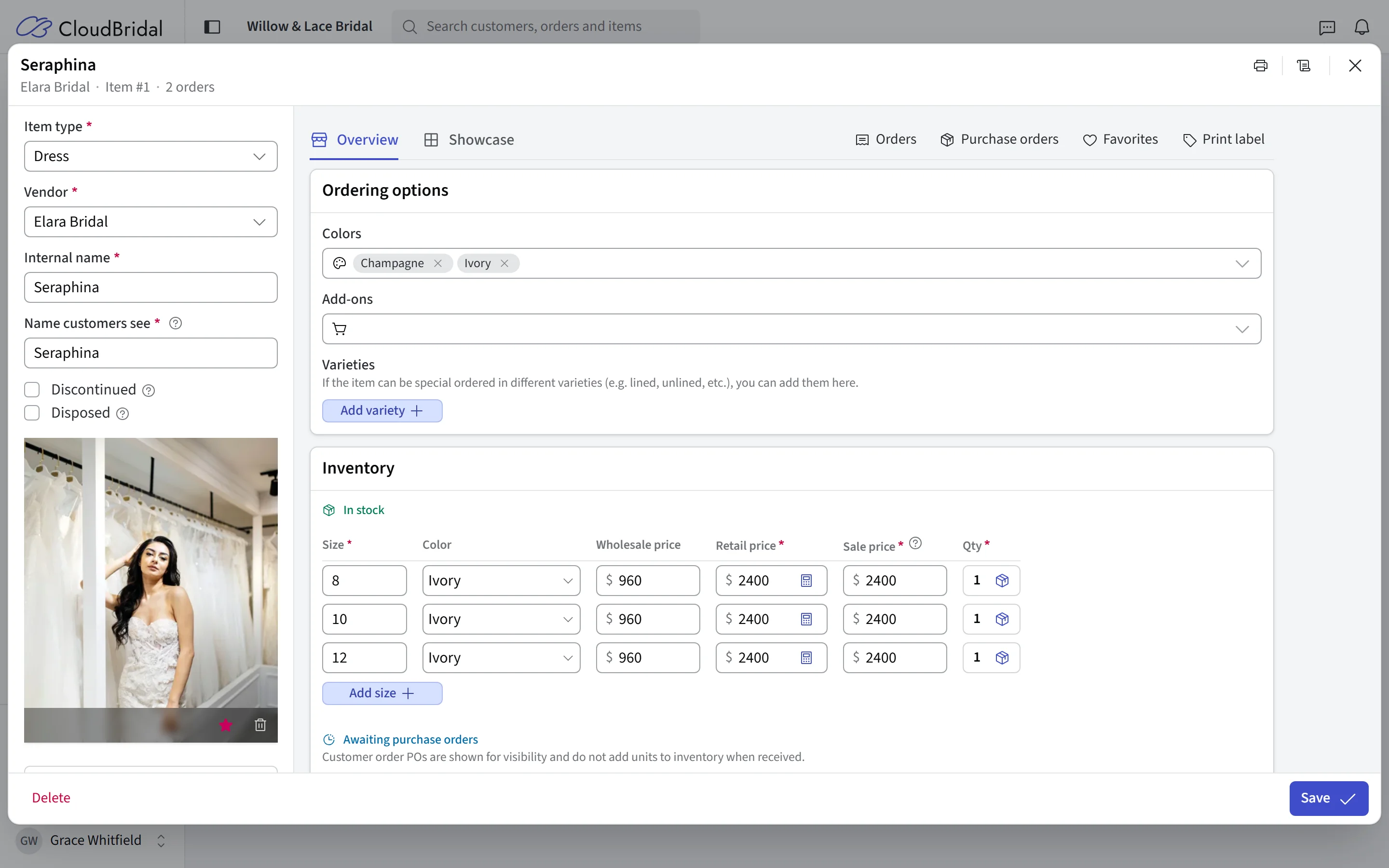
The right size, color, and stock record
A wedding gown isn’t a barcode on a shelf. It comes in sizes and color variations, gets special-ordered as often as sold off the rack, and lives alongside alterations and services on the same receipt. CloudBridal models all of that natively, so you’re not fighting a generic retail system with workarounds.
Tags, filters, and search get you to the exact gown a bride is asking about in seconds — even across thousands of items.
- Size and variety tracking per item, with per-variant stock levels
- Alterations, fees, and services live alongside physical inventory
- Flexible pricing — MSRP, selling price, and per-variant pricing tables
- Tags and filters that make a large catalog instantly searchable
Replenishment
Purchase orders from sale to delivery
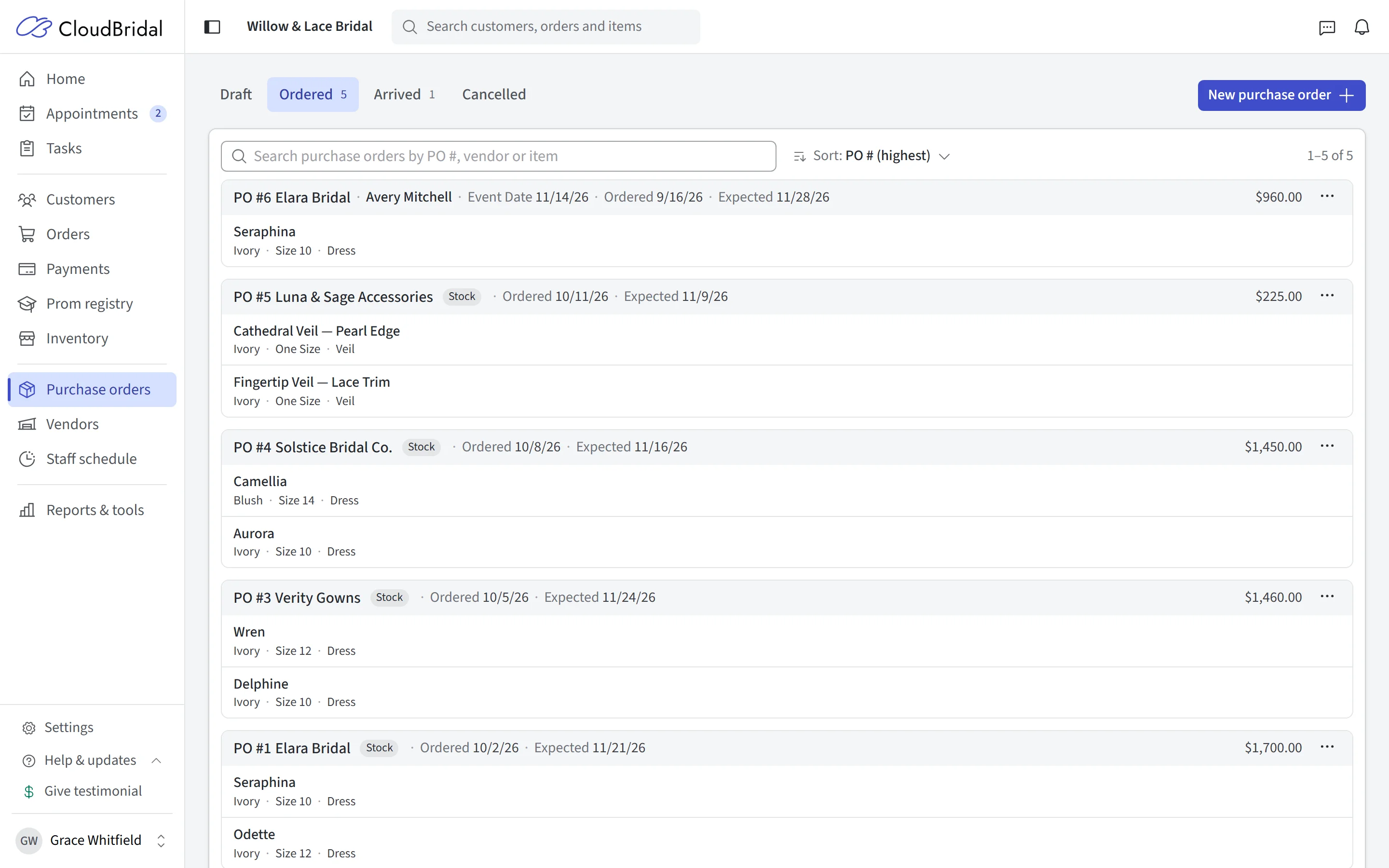
When a bride orders a gown, the next step is getting the right item from the vendor. CloudBridal ties customer orders to vendor purchase orders so you always know what’s been ordered, what’s arrived, and which bride is waiting on which gown.
Receive items as they arrive, and use configured arrival notifications to let the bride know her gown is in.
- Customer purchase orders linked to the orders and brides behind them
- Stock purchase orders for replenishing the floor
- Receiving workflow that updates stock and supports arrival notifications
- Vendor management with order history in one place
Your shop, online
Show your collection to brides before they book
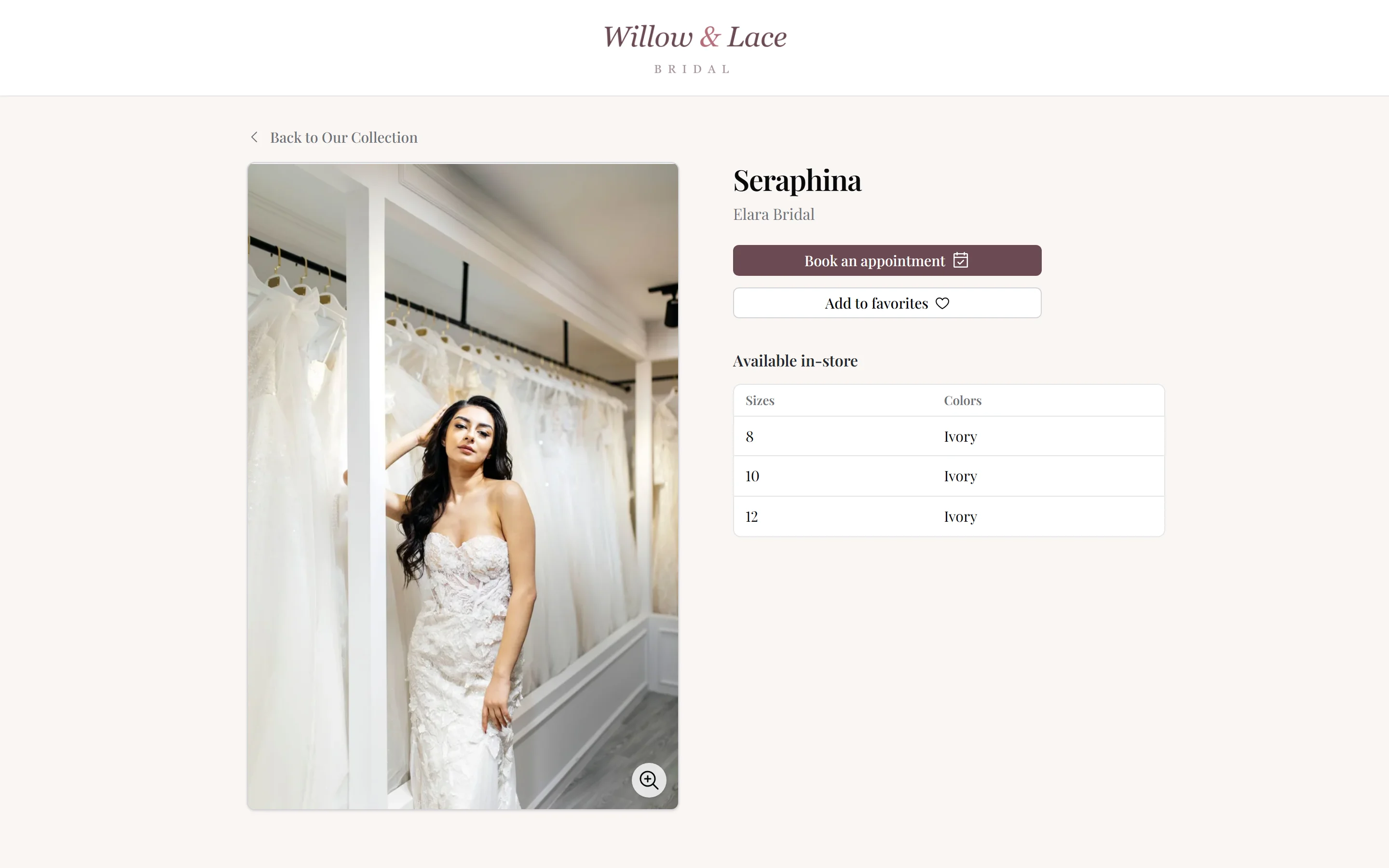
When you switch it on, the Inventory Showcase publishes a curated, public catalog of your collection — featured gowns, collections, and designer pages — that brides browse before they ever walk in. They can favorite the gowns they love, so your stylist has them pulled before the appointment starts.
- Public online catalog, curated item by item — you choose what shows
- Collections and featured items for merchandising your best work
- Brides favorite gowns ahead of their visit
And the rest
From the loading dock to the sales floor
Print a tag, scan it at the counter, and count your racks against what the system says.
Barcode labels
Label scanning
Stock counts (true-up)
Spreadsheet import
Automatic image search
Vendor management
Good to know
Frequently asked questions
Common questions about inventory management in CloudBridal.
Can I import my existing inventory?
How does CloudBridal handle gown sizes and colors?
Can I print barcode labels?
How do purchase orders work with special orders?
How do I do a physical stock count?
Can brides see my inventory online?
Does inventory track services and alterations too?
Which plan do I need?
Keep exploring
Related features & resources
See how this connects to the rest of CloudBridal.
Data migration
Switching systems? Our team migrates your inventory, customers, and appointments for you.
Appointment scheduling
Brides favorite gowns from your showcase, then book the appointment to try them on.
All features
See the complete platform — orders, payments, communications, reports, and more.
Know exactly what’s on your floor.
Start your 30-day free trial — no credit card required — and bring your inventory with you.